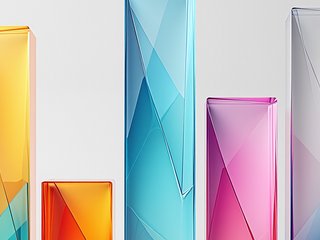



Tinted Glass belongs to Abstract & Geometric — presets that lean into pattern and composition rather than representing anything specific. Tinted glass solids. The palette runs 6 coordinated colors tuned for a white background.
Abstract styles are the safest choice when the audience or subject is undefined: they won't trip over a mismatched metaphor, and they age well on a slide that might get reused across decks. Good default pick for client work when the brief is 'make it look nice' without further constraints.
Compatible with column, bar, pie, and line charts, so the same abstract vocabulary applies whether the chart is a bar, pie, or line.
How to apply this style
- Open Chartissimo with Tinted Glass pre-selected Click the launch button on this page — the app loads with Tinted Glass already selected, so you can skip straight to pasting your data.
- Paste your data Drop a CSV, paste from a spreadsheet, or type values directly. Chartissimo handles small tables (under ~25 rows) best; larger datasets should be aggregated first.
- Pick your chart type Choose column chart or any other type this preset supports. The visual language stays consistent across chart types, so you can swap later without losing the look.
- Generate and export Hit generate, wait a few seconds, then export as PNG or SVG. Drop it straight into your slides, doc, or blog post.
Ready to use Tinted Glass?
The app will load with this preset pre-selected — paste your data and hit generate.
Launch Chartissimo →